Many new updates
With the current update, the paperlesspaper app receives some really practical improvements and bug fixes, from a new image library to a significantly stronger image editor, smarter integrations, and a smoother onboarding process. Here is an overview of everything that's new.
Thank you very much for all your feedback. Especially in the last few weeks, it has helped us tremendously, you have tested, reported, described, followed up (and sometimes rightly sighed).
And: Sorry for the bugs, that have crept in from time to time. We will continue to work so that the app runs reliably in everyday life. 💛
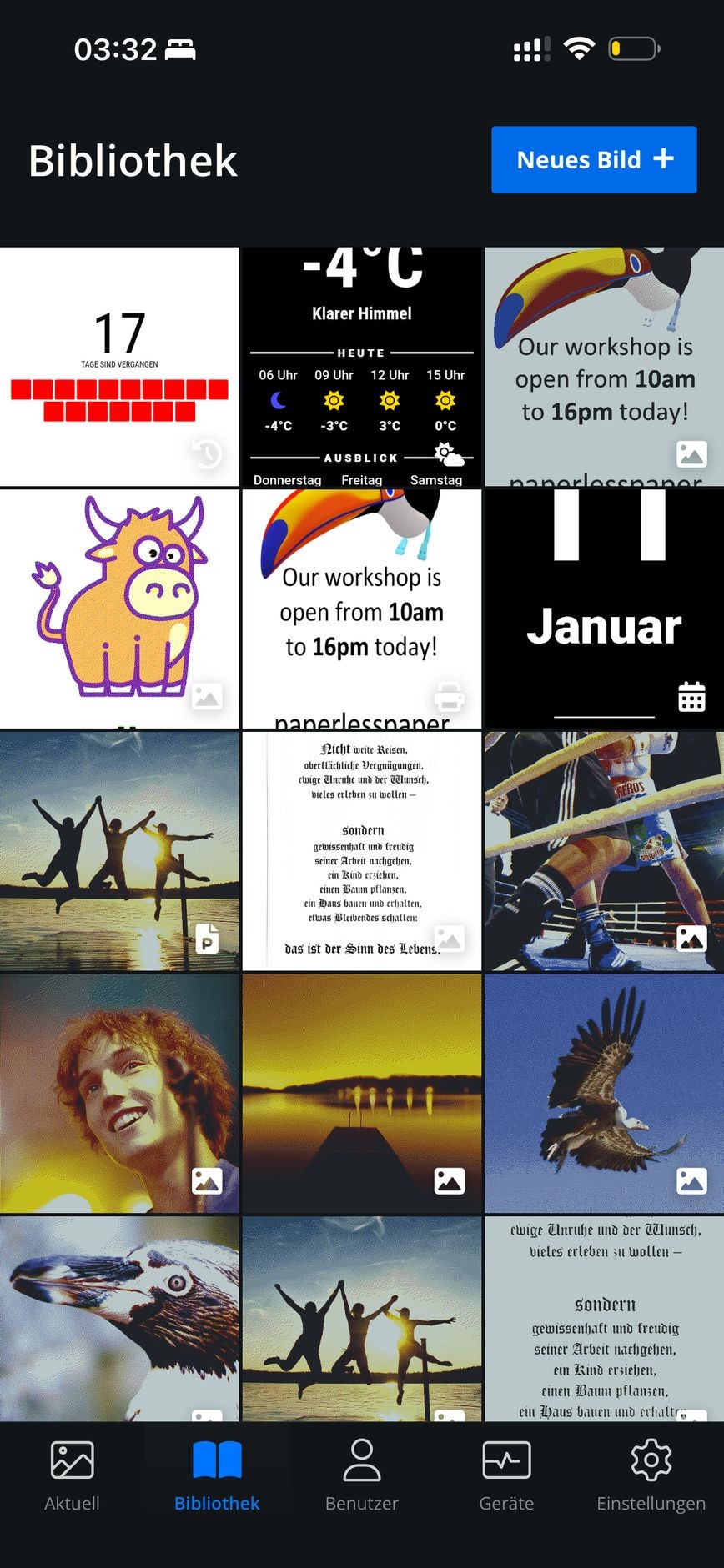
📚 New: The library for all images
From now on, there is a library, where you can view all images collected. Especially if you manage a lot of content, this makes browsing and finding things much more pleasant.
And fittingly:
On the overview page, only the current image is displayed, because many of you thought it was a kind of slideshow.
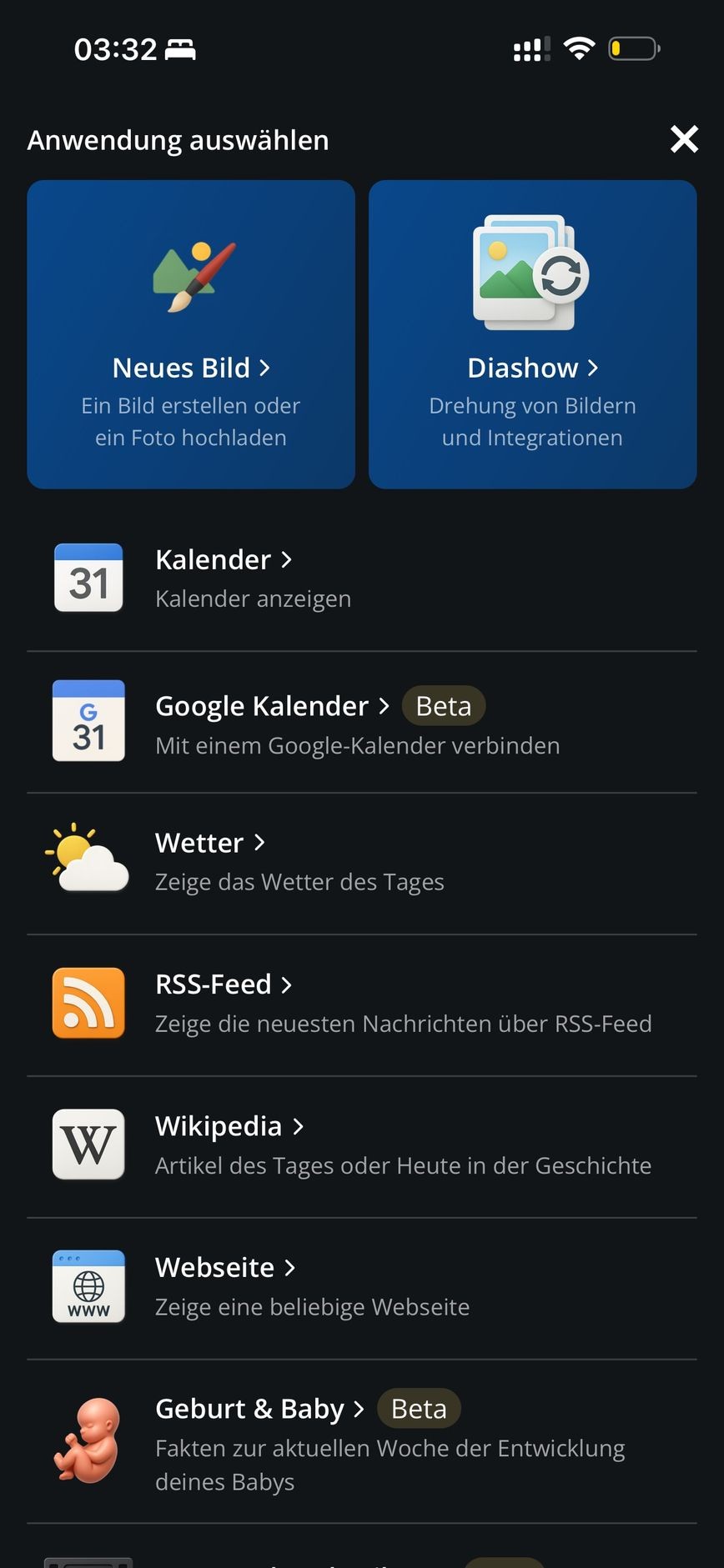
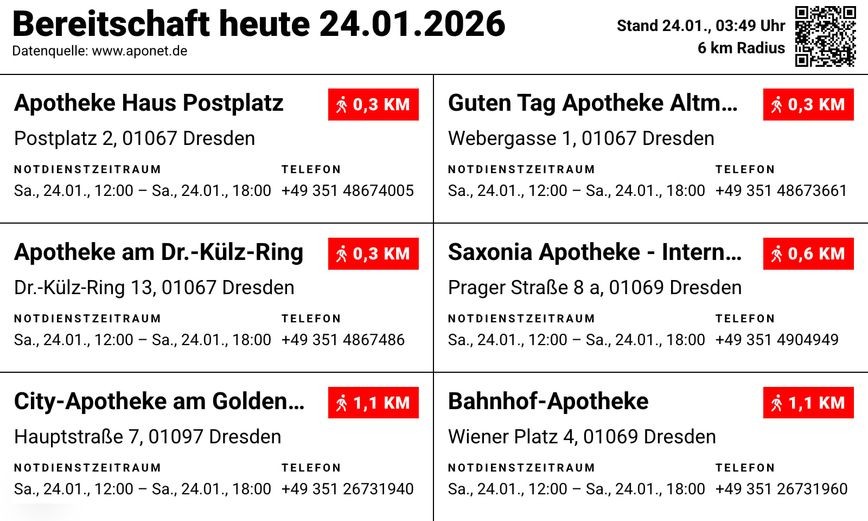 Neue Apothekennotdienst-Integration
🔌 Integrations
A lot has happened with integrations:
- The selection screen has been revised: most used integrations are highlighted.
- A new dialog now allows sending to individual frames.
- You can now insert images directly into an existing slideshow.
- And an important structural step: The “papers” are now assigned to the organization, not the device. This makes teams/setups more consistent and reduces chaos with multiple devices.
- There is a new pharmacy emergency service integration
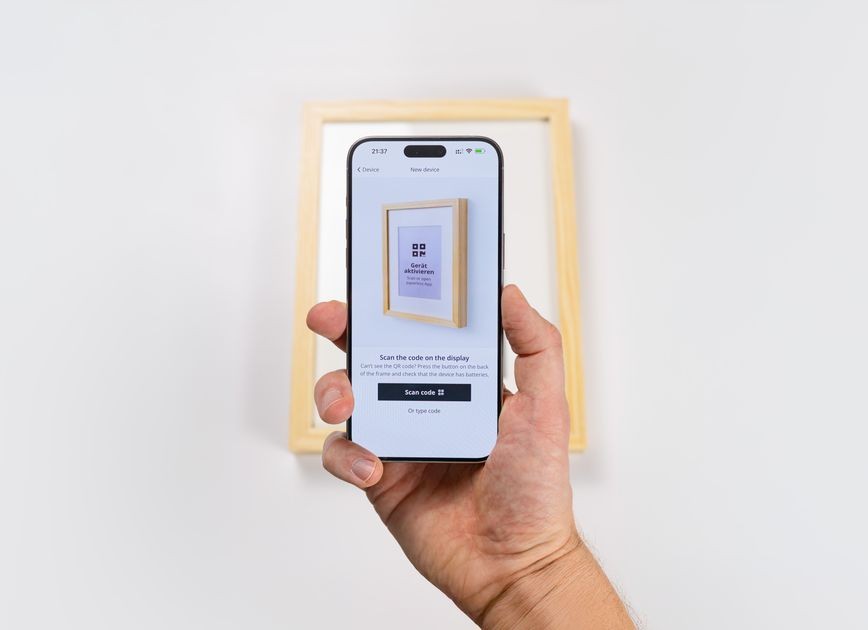 Neue Illustrationen im Onboarding, die besser verständlich sind
📶 WiFi & Connections
Connection topics have also been noticeably tidied up:
- WiFi reconnect has been revised (more stable reconnecting).
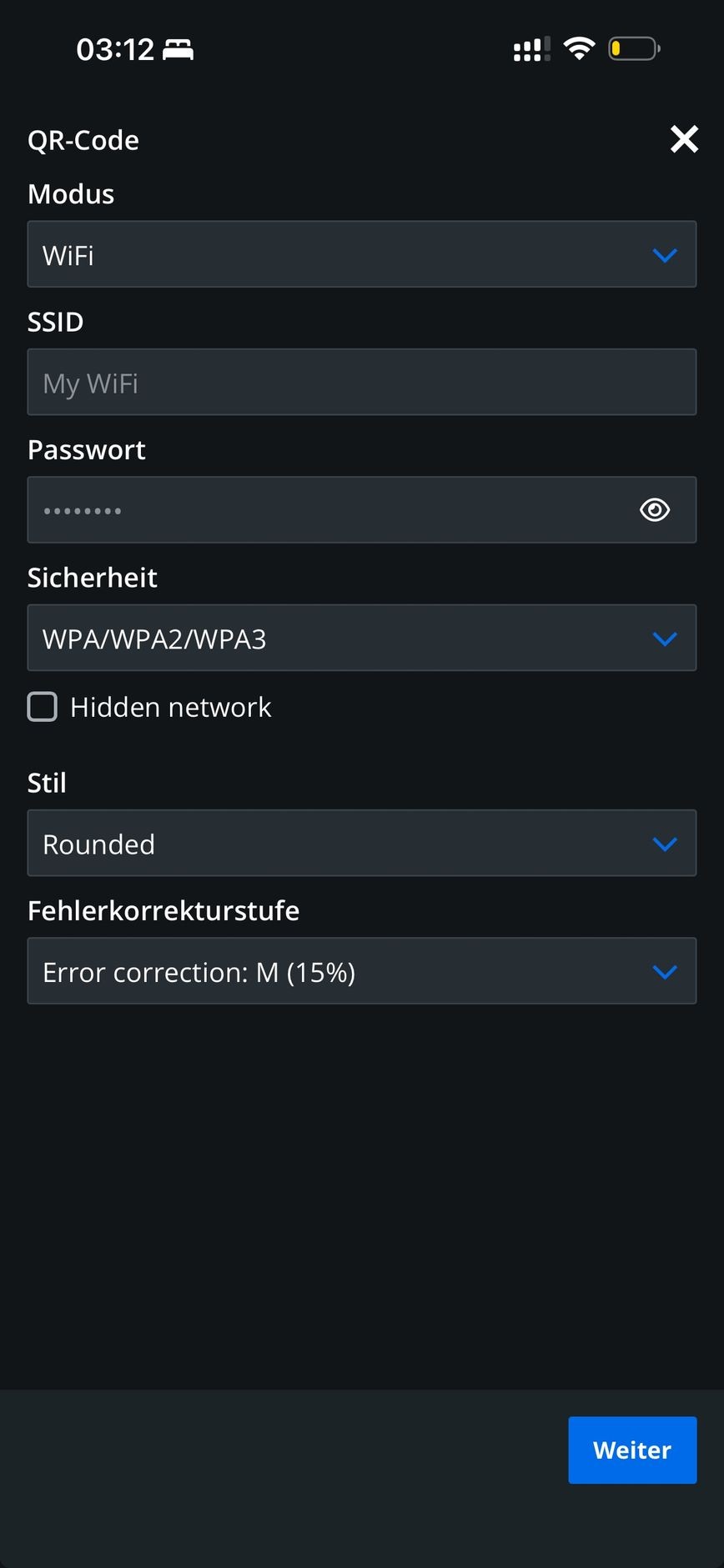
- In the WiFi dialog you can now display the password: small detail, big impact.
- During device onboarding the setup screens have been revised and the operation improved, the setup should now feel much smoother.
🔐 Login & 2FA
- The login form has been revised.
- Bugfix: 2FA now works reliably.
🖼️ Slideshow
You can now select slides across devices. This makes presentations and changing frame setups much more relaxed. And most importantly: The slideshow now works reliably.
✍️ Image Editor
The image editor has received several new superpowers:
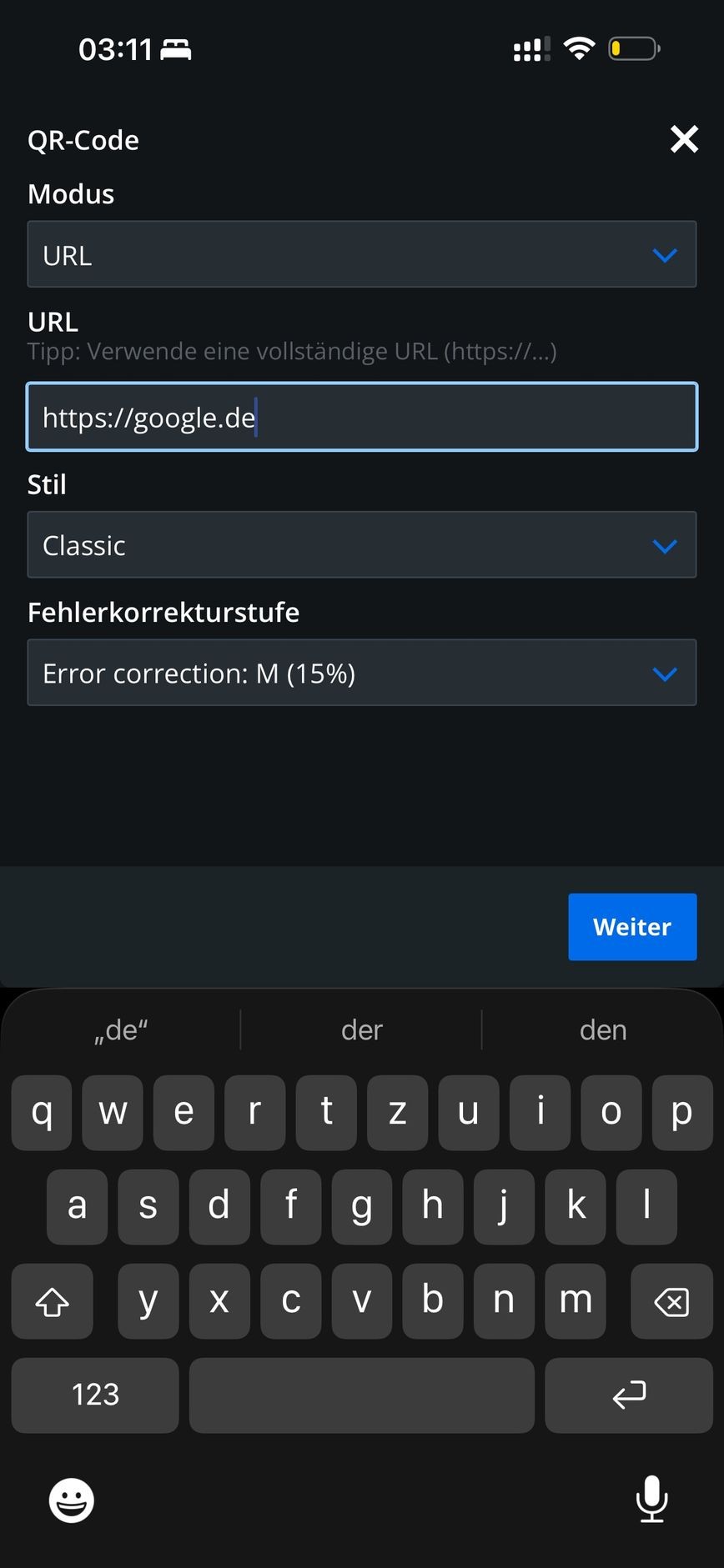
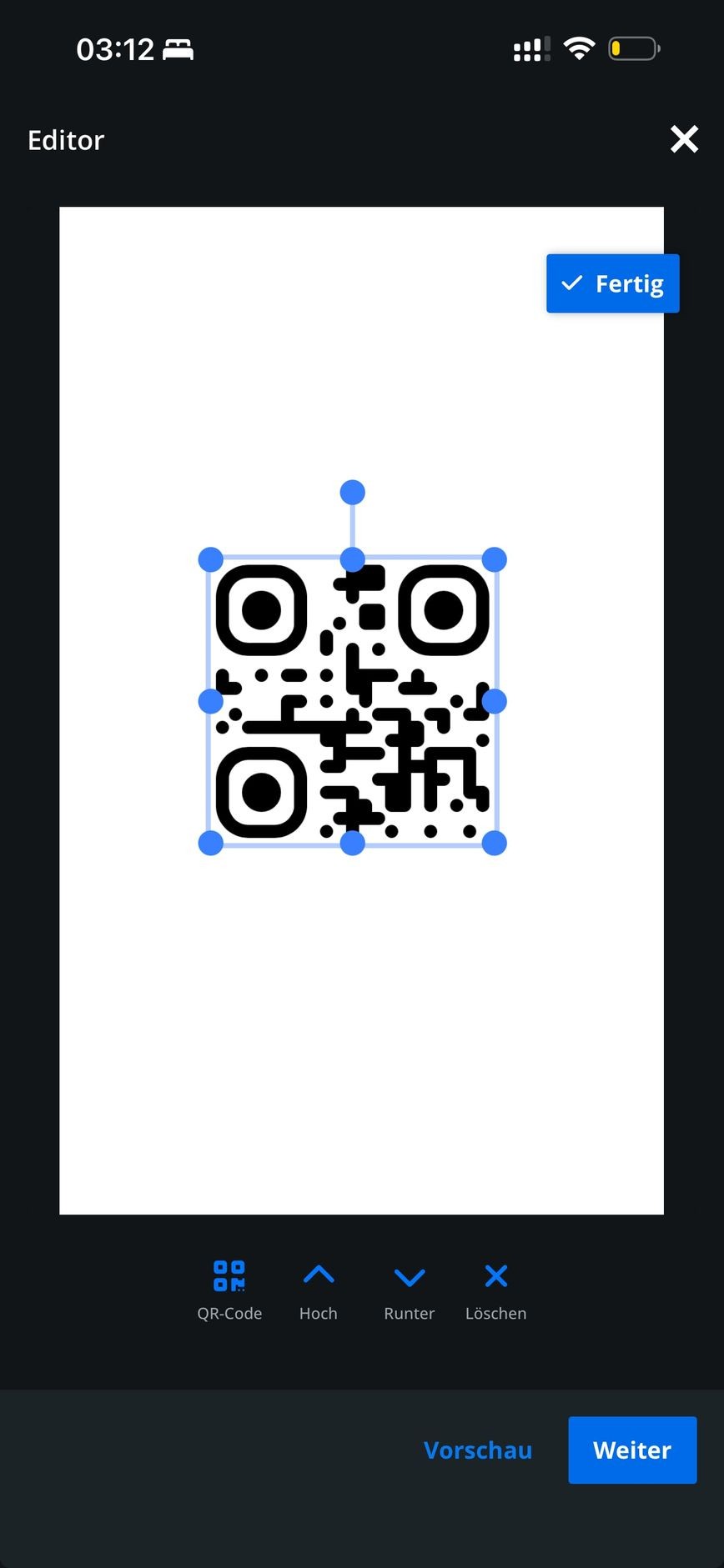
- Create QR codes: both for websites and Wi-Fi connections.
- Draw freehand lines: ideal for annotations, sketches, or short notes.
- When selecting images, it now automatically filters for images
- Images can be easily auto-fitted: quickly aligned neatly, without hassle.
Additionally, UX improvements:
- Operation revised, buttons more recognizable
- On the desktop, the image editor now runs in full screen
- Dialogs have larger icons
💬 Dialogs & UI
This is now significantly better: Dialogs adapt to the device and are no longer misaligned.
⚙️ Settings
- Update Interval: better configuration options
- Overlays on the display can be disabled
🐞 Additional Bug Fixes
- The Edit button can no longer be so easily accidentally activated.