Picture frames wake up
The paperlesspaper picture frame spends most of its time in an energy-saving sleep mode. This is possible because an eInk display only uses power when changing the image.
The paperlesspaper photo frame spends most of its time in energy-saving sleep mode. This is possible because an eInk display only uses power when changing the image. The displayed image then remains visible even without continuous power. This conserves the batteries and enables long runtimes.
Wi‑Fi in particular consumes a lot of power when it's on, so we only turn it on at certain times.
Automatically after an interval
The photo frame can automatically wake up at an adjustable interval. After this time elapses it connects, checks for new content, and updates the display if necessary. Afterwards it returns to sleep mode. You can adjust the interval in the device settings.

Wake by tapping
Even easier is a light tap or nudge of the photo frame. The built-in motion sensor detects the jolt and triggers an update. This lets you conveniently wake the frame without having to take it off the wall.
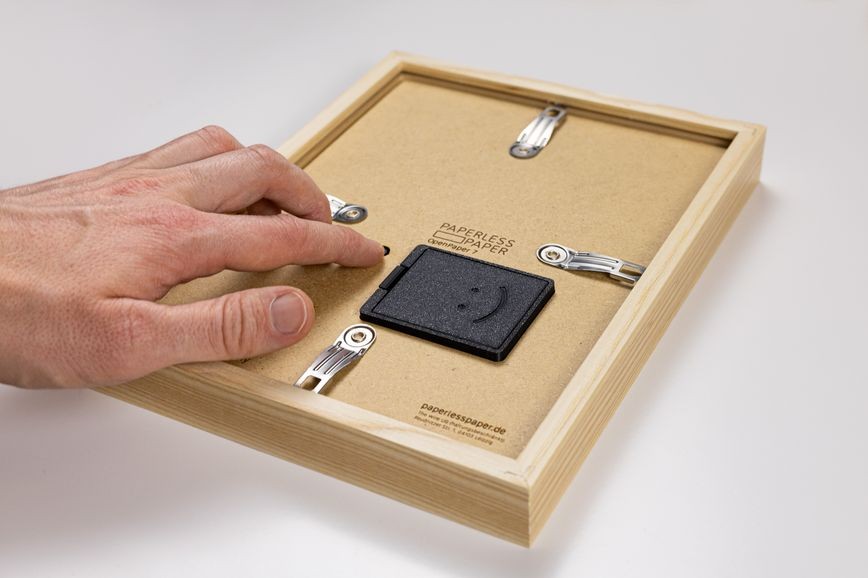 Ein kurzer Druck auf den Knopf auf der Rückseite weckt den Bilderrahmen ebenfalls auf.
Wake with a button press
Alternatively, a press of the button on the back is sufficient. This wakes the device regardless of the configured interval and starts the update.